
Section outline
-
Guidelines, checklists and protocols to assist teaching staff to make their materials universally accessible.
-
Key targets for making materials accessible, including:
- Formatting
- Images and labelling alternative text
- Structure
- Colour
- Links
-
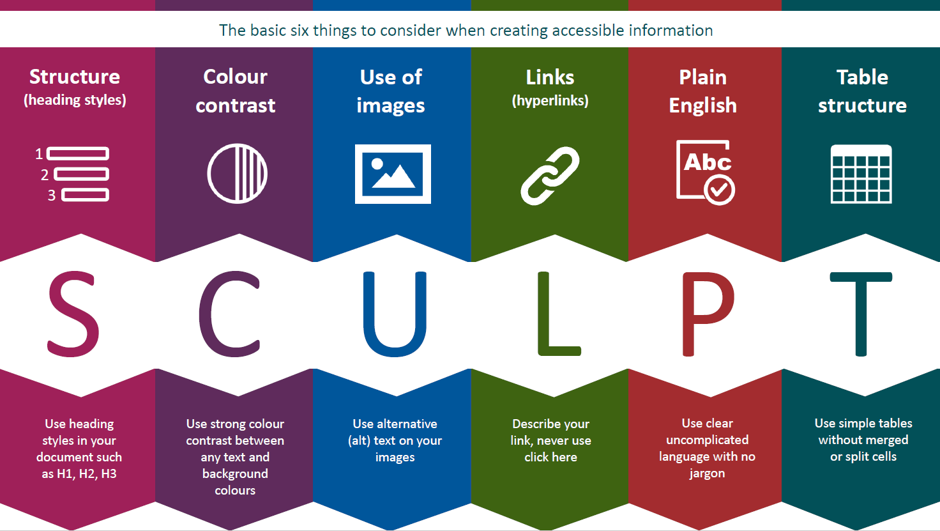
SCULPT - Structure, Colour, Use of images, Links, Plain language, Table structure
-
A set of guidelines about how, when creating documents for teaching, you can use accessibility guidelines to ensure that the content can be exported and used in a number of accessible ways. Key elements covered include:
- Font
- Colour
- Heading styles
- Layout
- Writing style
- Visual impact
- Large print documents
- Conversion to accessible formats
- Guidelines for your text editor
- Validation tools
There are also a selection of supporting videos and additional online courses.
-
A seventeen slide presentation highlighting things to do and not to do when considering the accessibility of your HE course.
-
In Higher Education, assistive technologies can be helpful in a number of areas including:
- Reading
- Writing
- Maths
- Organisation
Typical barriers or difficulties that assistive technologies can help people overcome include:
- Sight
- Text decoding
- Distractibility
- Hearing
This learning element includes information on:
- Examples of Assistive Technology by Domain
- Apps for Mobile Devices
-
Links to the built-in accessibility settings in iOS, Android and Microsoft Windows.
-
This element contains details of several assistive technology reseource databases from around the world, highlighting available technologies that can help students with disabilities. These include:
- EASTIN Database - which aggregates the contents of six national European AT databases, searchable in 22 European languages.
- Australia's National Equipment Database
- UK Open Assistive software and hardware database
- The Belgian Database of AT for HE
- The Africa and Southern Africa AT Database
-
-
This is a guide to the Universal Design for Learning Framework, with concrete examples of courses that can be completed. Including:
- Affective - Provide multiple means of engagement
- Recognition - Provide multiple means of representation
- Strategic - Provide multiple means of action and expression
The free courses provided in the last tab are well worth a look.
-
There are a number of accessibility checkers you can use to assess and improve your learning content. This article summarises the best ones.