
Section outline
-
This part sets out the shared thinking behind everything else in the toolkit: what inclusive education actually means in a higher education context, why it is treated as a matter of educational quality rather than charity, and exactly where a teacher's own responsibility begins and ends. Understanding this part well makes Parts 2, 3, and 4 far easier to apply, because the same handful of principles — anticipate diversity, build access in rather than bolt it on, ask rather than assume — repeat throughout the rest of the toolkit.
-
This part covers the practical, format-level work that underpins every chapter in Part 3: how to produce accessible documents, slides, video, and online content; how to design assessment that measures learning rather than incidental barriers; and how to talk to students about support in a way that is respectful and genuinely useful. Because this content applies across every accessibility category, it is covered once here rather than repeated seven times in Part 3.
-
Each of the seven chapters below follows an identical structure (A–F), so a teacher who has learned to navigate one chapter can navigate all seven without re-orientating. This consistency is deliberate: it means a teacher under time pressure preparing for a Thursday session can go straight to the relevant chapter and the relevant lettered section, rather than reading unfamiliar formatting each time.
One principle applies throughout and is stated once here rather than repeated in every chapter: reasonable adjustments should always be based on what an individual student says helps them, not on assumptions drawn from a diagnosis label. Two students with the same diagnosis can have very different needs — this is one of the most consistent findings across the research underpinning every chapter that follows.
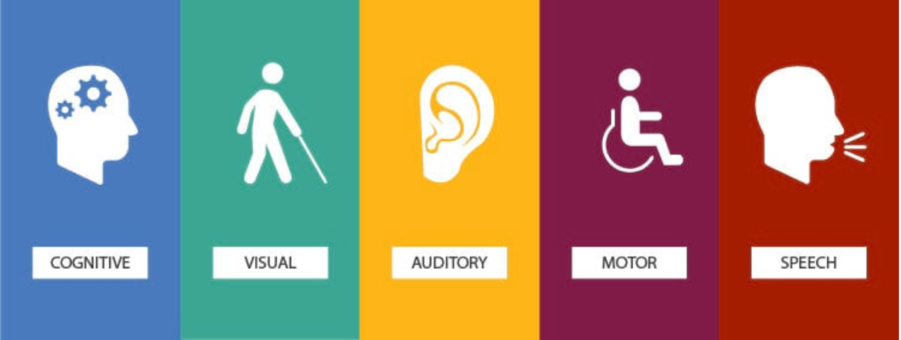
-
ADHD is one of the most common, and most frequently misunderstood, forms of neurodivergence in higher education. Many students arrive at university with a school-level understanding of their own ADHD, but without the external structures — timetabled routines, small class sizes, parental oversight — that quietly helped them manage it before. Higher education tends to raise executive-functioning demand at exactly the moment those supports disappear, which is why a student who coped adequately at school can struggle significantly at university, through no change in ability.
-
Autistic students form what the research literature repeatedly describes as a highly heterogeneous group — there is no single academic or social profile that applies to every autistic student, and two students with the same diagnosis may need very different support. What does recur across the evidence is the outsized role of anxiety: unpredictability, not autism itself, is very often the largest barrier to learning, and once anxiety takes hold it can affect concentration far more than any inherent difficulty with the subject matter.
-
Dyslexia and related specific learning differences are among the most commonly under-recognised barriers in higher education, precisely because they are invisible and frequently well compensated for by the time a student reaches university. A student who has spent years developing workarounds at school can look, on the surface, entirely unaffected — until a high-pressure situation, such as a timed exam or an unexpected request to read aloud, exposes a difficulty that has been there all along.
-
Depression and anxiety are among the most common mental health conditions affecting higher education students, and some research indicates students may be at elevated risk relative to non-student peers of the same age, particularly linked to academic pressure, financial stress, and the transition to independent living. Unlike most other categories in this toolkit, depression and anxiety can develop, worsen, or improve within a single academic year, meaning a teacher's response needs to be flexible over time, not fixed at the start of a module.
-
Hearing impairment and deafness sit on a spectrum, and students use a wide range of approaches to manage it — hearing aids, cochlear implants, lipreading, live captioning, or sign language, frequently in combination rather than relying on any single method. The research base is unusually clear on one point: there is no single preferred communication method across students, so a support approach built around one assumed solution will consistently fail some of the students it is meant to help.
-
Visual impairment ranges from low vision to total blindness, and the strategies students use to manage it are similarly varied — most rely on screen readers, magnification software, or large print rather than Braille, and Braille literacy should never be assumed. Much of the barrier in this category comes not from vision itself but from how consistently materials and systems are built around sighted assumptions by default.
-
This category covers wheelchair users, students with limited mobility, and students with chronic pain or fatigue-related conditions — a wider and more varied group than 'mobility difficulties' might first suggest. Physical access is not only about ramps and wide doorways; stamina, fine-motor demands, and day-to-day symptom fluctuation matter just as much, and some conditions have neurological effects that can produce reactions to classroom stimuli that look unrelated to mobility at all.
-
Ten realistic scenarios, each grounded in a barrier covered in more depth in Part 3. These are written to be used directly in staff training discussions, or read individually by a teacher facing a similar situation for the first time. Each includes brief context on why the situation arises, not just what to do about it.
-
A one-page checklist for repeat use — before, during, and after teaching. This is deliberately the shortest section in the toolkit: after reading the rest once, this page alone should be enough to prompt good practice on an ordinary teaching day.
-
-
Reference copy of the template used to build every Part 3 chapter, for anyone revising or adding a category later.
A. What the Teacher Needs to Understand (~½ page)
2–4 sentences on what the condition/circumstance may involve, written for a non-specialist; note on how experience differs between students; 2–3 common assumptions to avoid.
B. Possible Barriers in Teaching (~½ page)
A short table across lectures, seminars, group work, practical sessions, online learning, presentations, reading/written tasks, assessment, and communication with staff — limited to barriers with a clear teaching-practice fix.
C. What the Teacher Should Do (~1 page)
Before / During / After teaching, each with 3–6 concrete actions.
D. Reasonable Adjustments (~½ page)
A four-column table: adjustment, barrier it addresses, what the teacher does, what to avoid — 4–7 rows, closing with one line on individualising support.
E. What Teachers Should Avoid (~¼ page)
4–6 one-line points, phrased as direct actions to avoid.
In Practice (~¼ page)
One short, composite illustrative scenario per chapter, showing a realistic situation, what helped, and the underlying lesson — kept clearly labelled as composite/illustrative rather than describing a real, identifiable student.
F. Quick Teacher Checklist (~¼ page)
Maximum eight yes/no items a teacher could run through before a session.
-
Plain-language definitions of terms used throughout this toolkit, kept deliberately short and non-clinical. When this toolkit is translated, each entry below should be checked for a natural equivalent in the target language via back-translation, rather than translated word-for-word — several entries (marked with an asterisk) are known to be difficult to translate directly.
General terms
-
Inclusive education* — designing teaching so it works for a wide range of learners from the outset, rather than retrofitting individual accommodations.
-
Universal Design for Learning (UDL) — a framework for building flexibility into teaching, materials, and assessment from the start.
-
Reasonable adjustment — a specific change made for an individual student when general inclusive design does not fully remove a barrier they face.
-
Disclosure — a student choosing to tell a member of staff about a disability, condition, or support need.
-
Executive function — the mental processes involved in planning, organising, managing time, and regulating emotion and behaviour.
-
Assistive technology (AT) — any software or device that helps a student access learning materials or demonstrate their learning.
-
Neurodivergent* — a term some people use to describe a brain that processes information differently from what is considered typical (e.g. autism, ADHD, dyslexia); not every student uses or prefers this term for themselves.
-
Social model of disability — the view that people are disabled by barriers in society and environments, not by their own impairment or difference.
Category-specific terms
-
Hyperfocus — an intense, sustained state of concentration on a specific task, sometimes reported by people with ADHD.
-
Sensory overload — a state of being overwhelmed by sensory input (noise, light, crowding) beyond what can be comfortably processed.
-
Processing speed — how quickly a person can take in, understand, and respond to information; distinct from intelligence or knowledge.
-
Screen reader — software that reads digital text aloud or converts it to Braille, used by many blind and some low-vision students.
-
Captioning — synchronised on-screen text of spoken audio content; distinct from a transcript, which is a standalone text version.
-
Lipreading — following speech by watching a speaker's mouth and facial movements; never provides full comprehension on its own.
-
Fluctuating condition — a health condition whose symptoms and impact vary significantly from day to day.
-
-
A suggested structure for using this toolkit as the basis for a staff induction or development session, rather than only a self-directed reading resource. Timings assume a 90-minute session; a shorter 45-minute version can be built from the sections marked 'core'.
Time
Activity
Notes
0–10 min
Introduction (core)
Why this toolkit exists; the difference between inclusive teaching and individual adjustments (Part 1, Sections 1 and 6).
10–25 min
UDL walkthrough (core)
Work through the three UDL principles (Part 1, Section 2) using a real example from a participant's own module.
25–45 min
Small-group category deep dive
Split into small groups, each taking one Part 3 chapter; each group reports back one 'In Practice' scenario and its lesson.
45–60 min
Materials and assessment audit (core)
Participants bring one of their own documents or slide decks and check it against the Part 2, Section 7 checklist.
60–75 min
Scenario discussion
Work through 2–3 scenarios from Part 4, Section 17 as a full group, discussing what the 'immediate response' would look like in participants' own context.
75–90 min
Close and commitments (core)
Each participant identifies one specific change to make in their next teaching session, using the Final Teacher Checklist (Part 4, Section 18) as a prompt.
GUIDANCE NOTE: This session plan can be delivered by a programme lead, a disability/inclusion specialist, or peer-led by staff who have already worked through the toolkit — it does not require an external facilitator.
-
Questions about the toolkit itself and its implementation, rather than about any single accessibility category — those are answered within each Part 3 chapter instead.
Do I need a formal diagnosis on file before I can apply the strategies in this toolkit?
No. Almost every strategy in Parts 2 and 3 is good universal practice that benefits students whether or not a diagnosis has been disclosed or formally recorded. Formal reasonable adjustments (Part 1, Section 6) are the exception — these do typically require an agreed support plan.
What if a student's request seems to go beyond what this toolkit describes?
Treat this toolkit as a starting point, not an exhaustive list. Where a request is unfamiliar or you are unsure how to respond, use the named specialist contact described in Part 1, Section 5 rather than declining or improvising alone.
How should this toolkit be used alongside the parallel Uzbekistan staff-guidance document produced for this project?
The two are complementary rather than duplicative: the Uzbekistan staff-guidance document addresses institution-wide staff roles across four broader categories, while this toolkit is teacher-facing and organised around seven specific categories with day-to-day classroom actions. A teacher could reasonably use this toolkit alone; an institution rolling out inclusion policy more broadly would use both together.
Who should be responsible for keeping this toolkit updated once it is published?
A named owner — ideally the same team or working group responsible for the institution's inclusive-education strategy (see Part 1, Section 5 and Appendix A.3) — should review it at least annually, checking especially that named tools, contacts, and institutional examples are still current.
Can individual chapters be extracted and printed separately?
Yes — this is one reason every Part 3 chapter follows an identical structure and is self-contained. A single chapter can be printed as a standalone handout for a specific training need without needing the rest of the toolkit.
What should happen if a teacher disagrees with an agreed adjustment?
Raise the concern with the relevant disability or inclusion service rather than declining to implement the adjustment unilaterally. Adjustments are typically agreed based on evidence a teacher may not have full visibility of, and unilaterally withdrawing one can constitute a serious barrier to a student's studies.
-
A proposed visual identity for the printed booklet and the accompanying website, so both stay consistent and so a translated edition can be reproduced without re-inventing the design. This uses the same palette already applied to this draft document.
D.1 Colour Palette
Colour
Hex
Used for
Contrast check
Navy
#1F3864
Main headings, cover title
8.7:1 on white — passes WCAG AAA
Teal
#2E7D74
Section headings, Part titles
4.8:1 on white — passes WCAG AA
Amber
#9C5700
Guidance notes, callouts
5.4:1 on cream tint — passes AA
Grey
#595959
Source lines, running header
7.0:1 on white — passes AAA
Light teal tint
#EAF1F1
Table headers, quote boxes
Background only — not used for text
Amber tint
#FBF1E0
Guidance-note background
Background only — not used for text
GUIDANCE NOTE: Every colour pairing above meets at least WCAG 2.2 AA contrast (4.5:1 for body text). Colour is never used as the only way to distinguish content — headings, borders, and icons carry meaning too, so the toolkit still works for colour-blind readers or in black-and-white print.
-
Each Part 3 category could additionally take one small accent colour on its chapter-opening page only (e.g. a coloured rule under the chapter title) purely for quick visual navigation — not applied to body text or tables, so it never becomes a fourth text colour to contrast-check.
D.2 Typography
-
Body text: a plain sans-serif at 11–12pt for print, 16px for web — Calibri, Arial, or (recommended if budget allows) Atkinson Hyperlegible, which is designed specifically for readability including for readers with dyslexia and low vision.
-
Headings: same family as body text, bold, not a decorative or script font — this matters more for accessibility than for style.
-
Line spacing: at least 1.15–1.5x for print, 1.5x for web.
-
Avoid justified text (ragged-right only), avoid underlining for emphasis (reserve underline for links only), avoid setting long passages in italics or bold.
-
Uzbek and Russian editions: confirm the chosen font has full Cyrillic and Uzbek Latin character support before finalising — not all 'accessible' fonts do.
D.3 Icon Set
A small, consistent icon per recurring element — used the same way in every chapter so a returning reader recognises the pattern without reading the label.
Icon
Marks
Style note
🔍 (magnifier)
A. What the Teacher Needs to Understand
Simple line icon, not filled — keeps ink-cost low for printing
⚠ (barrier)
B. Possible Barriers in Teaching
A simple broken-path or wall glyph, not an alarming warning triangle — this is descriptive, not a hazard warning
✅ (action)
C. What the Teacher Should Do
Three small sub-markers for Before / During / After — e.g. a clock face at three positions
⚙ (adjustment)
D. Reasonable Adjustments
A simple sliders/dial glyph — adjustment, not repair
🚫 (avoid)
E. What Teachers Should Avoid
A plain crossed-circle, used sparingly so it doesn't read as alarming
💬 (in practice)
In Practice scenario box
A speech-bubble or small scenario-card glyph
☐ (checklist)
F. Quick Teacher Checklist
Already used throughout this draft as a literal checkbox
GUIDANCE NOTE: These are placeholder emoji standing in for a proper icon set — recommend commissioning a single-weight line-icon set (7 section icons + 1 category-agnostic set) rather than emoji, so print reproduction is crisp at small sizes and the set has one consistent visual language. Noun Project or a matching Figma icon library would be a reasonable, low-cost source.
-